Samples Overview
Mirage includes several small examples to help you learn how to use various features and how to set things up so they work together.
- Additive Scenes
The Additive Scenes example demonstrates a server additively loading a sub-scene into the main scene at startup, and having a server-only trigger that generates a message to any client whose player enters the trigger zone to also load the sub-scene, and subsequently unload it when they leave the trigger zone. Only players inside the trigger zone can see the objects in the sub-scene. Network Proximity Checker components are key to making this scenario work. - Basic
Basic is what it sounds like...the most rudimentary baseline of a networked game. Features SyncVars updating random UI data for each player. - Chat
A simple text chat for multiple networked clients. - ChangeScene
Provides examples for Normal and Additive network scene changing. - Pong
A simple example of "How to build a multiplayer game with Mirage" is Pong. It illustrates the usage ofNetworkManager,NetworkManagerHUD, NetworkBehaviour, NetworkIdentity,NetworkTransform,NetworkStartPositionand various Attributes. - Tanks
This is a simple scene with animated tanks, networked rigidbody projectiles, and NavMesh movement
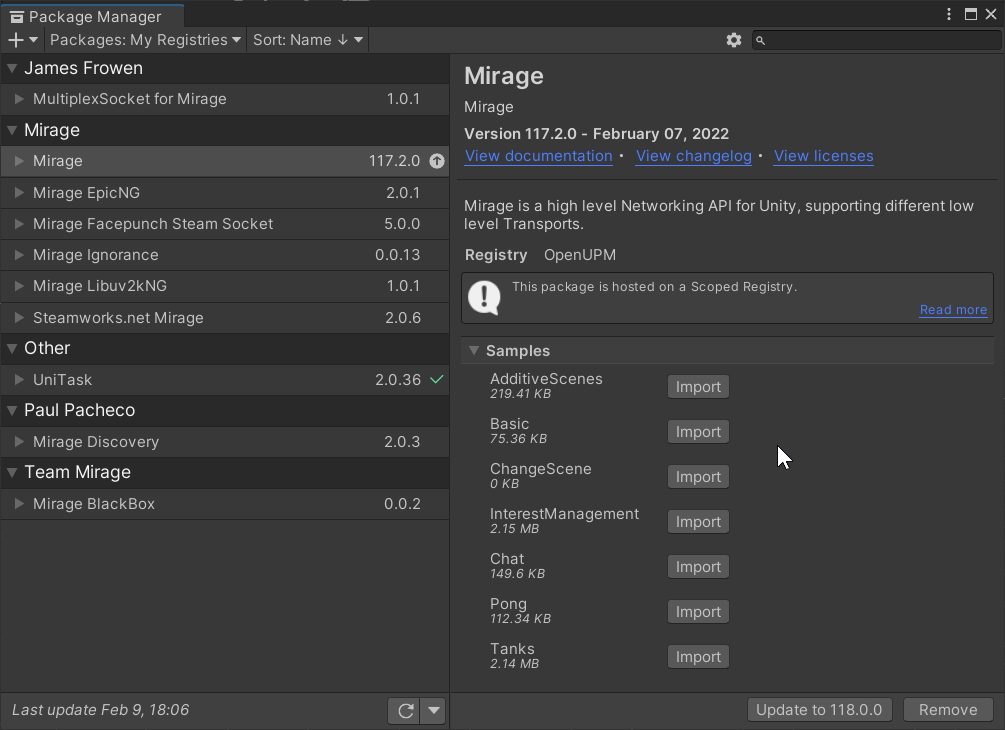
Import samples
Sample can be imported using the Unity Package manager. They can be found inside the Samples Dropdown.